

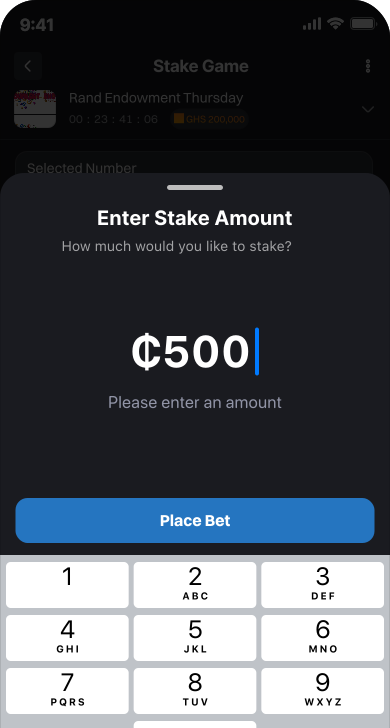
Enter Stake Amount
After selecting your numbers, the next step is to decide how much you want to stake. This is where you enter your bet amount in Ghana cedis (GHS). Rand makes it simple to set your stake across all channels — Mobile App, USSD, and Agent/Retailer POS.
Mobile App
At the bottom of the ticket preview screen, you’ll see a box labeled Stake Amount (GHS). Enter the amount you wish to bet (starting from GHS 1.00). The app automatically calculates potential winnings based on your stake and displays it under the input field. Tap Next to confirm
USSD
After entering your numbers, the system prompts you to enter your stake amount in Ghana cedis. Type the amount (e.g. 2 for GHS 2.00) and press Send. The system will display a confirmation screen showing your game, numbers, and stake before sending a MoMo payment prompt.
Retailer
After the agent inputs your numbers into the POS terminal, they will ask you how much you want to stake. You tell them the amount (starting from GHS 1.00). The POS automatically calculates potential winnings and shows you a preview ticket for confirmation before payment.

Whatever the challenge, we deliver the perfect solution