

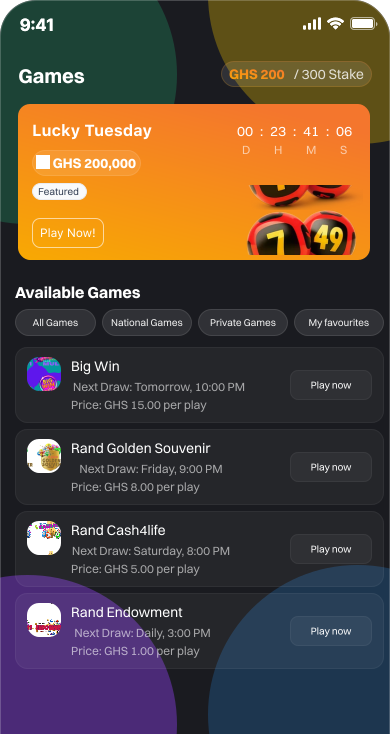
1. Choose Your Channel
Download the Rand app from App Store or Play Store, sign up with your MoMo number.
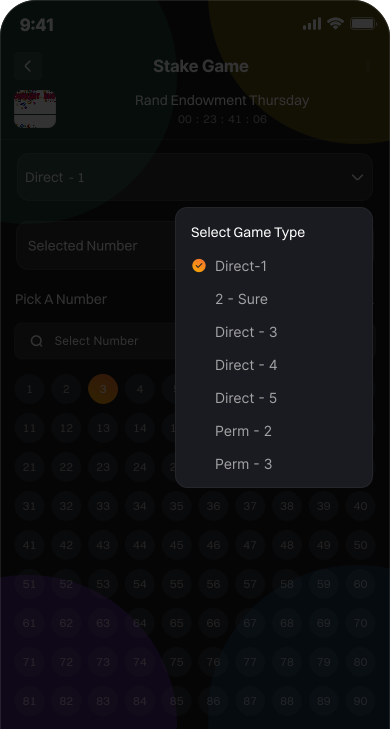
2. Select Game Type
Choosing your game type is the first step to playing Rand. Whether you’re on the mobile app, using USSD, or at an agent’s POS, selecting your game is quick and easy. Below we show how it looks on each channel.
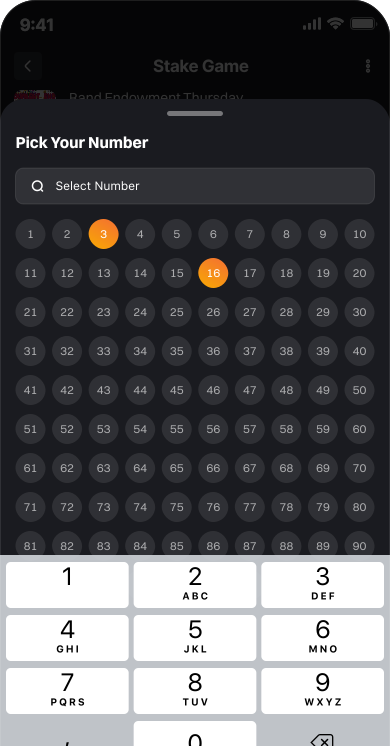
3. Pick Your Numbers
After selecting your numbers, the next step is to decide how much you want to stake. This is where you enter your bet amount in Ghana cedis (GHS). Rand makes it simple to set your stake across all channels — Mobile App, USSD, and Agent/Retailer POS.
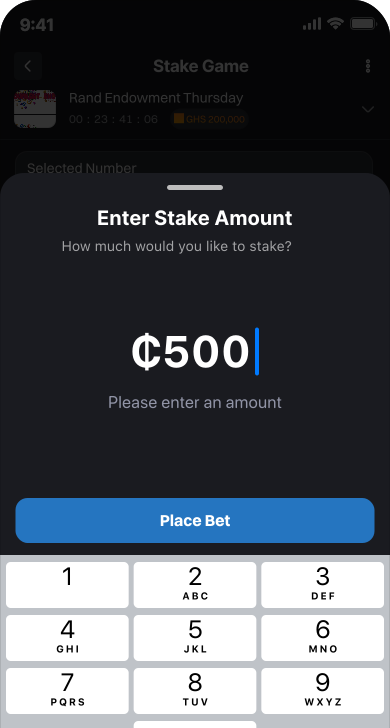
4. Enter Stake Amount
After selecting your numbers, the next step is to decide how much you want to stake. This is where you enter your bet amount in Ghana cedis (GHS). Rand makes it simple to set your stake across all channels — Mobile App, USSD, and Agent/Retailer POS.
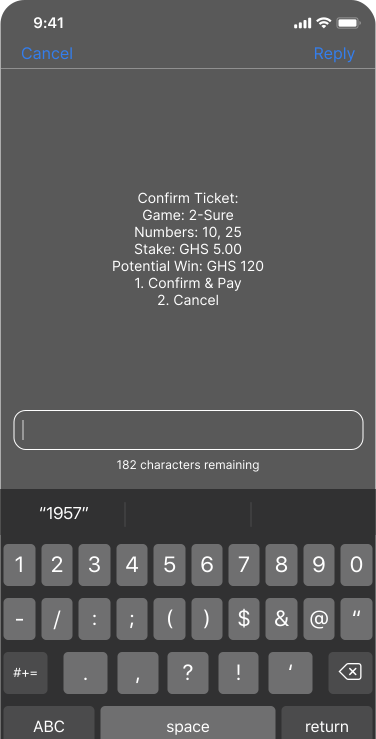
5. Confirm and Pay
The app displays a summary of your ticket: game type, numbers, stake amount and potential winnings. Tap Confirm & Pay. You’ll instantly receive a Mobile Money prompt from your provider (MTN, Vodafone or AirtelTigo).
6. Check Results
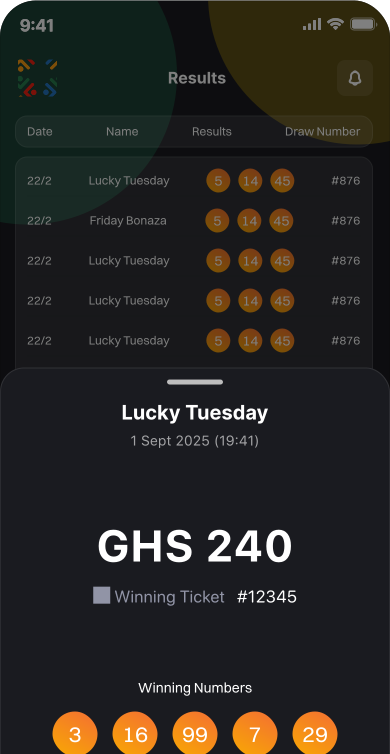
Open the Rand app and go to Results or My Tickets. You’ll see the latest winning numbers for National and Rand draws. Tickets you’ve purchased will show a ✅ WIN or ❌ LOSE badge. If you’ve won, your prize is automatically credited to your Winning Wallet and you can withdraw to your Mobile Money account anytime.

Whatever the challenge, we deliver the perfect solution